Demo LMS Guide
Use the LMS portals to view learning content as a learner or manage course delivery as a teacher.
1. Learner Portal
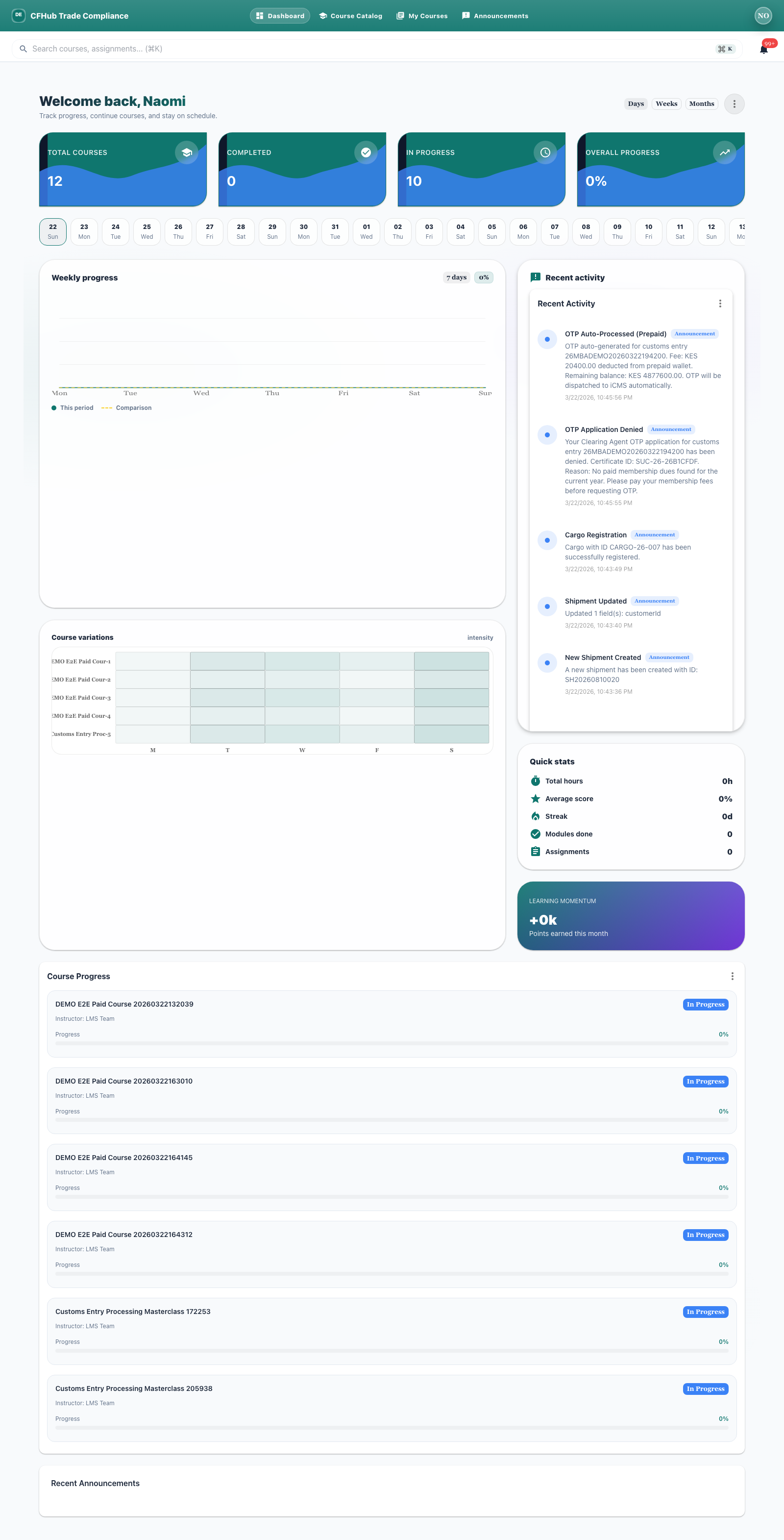
After enrollment, the learner dashboard shows the available course inventory and recent activity.
Portal URL: https://lms-student.demo.cfhub.net
2. Teacher Portal
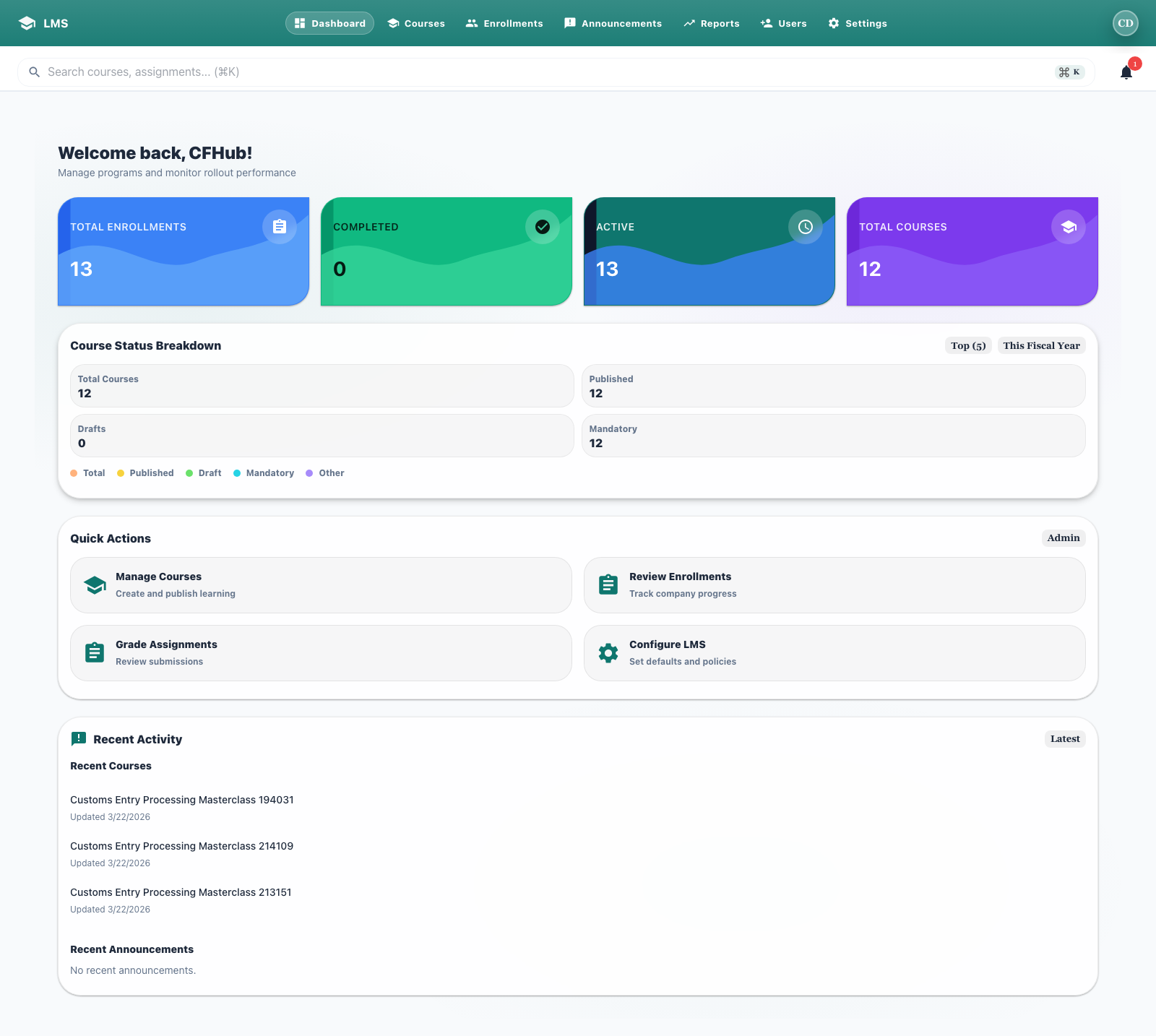
The teacher dashboard shows course totals, enrollments, and recent course updates.
Portal URL: https://lms-teacher.demo.cfhub.net
3. Demo Notes
The same published course appears in both the learner and teacher experiences, so you can follow the full training journey from publication to enrollment.